Deleting Workflow Quick Measure
Follow the below steps to delete the Workflow Quick Measure:
1) Click on Workflows tile in the Workflow & Automation section of the Configuration Area.
2) Select your desired Workflow from the list and scroll down to the Workflow Quick Measure section, as shown in the below screen.
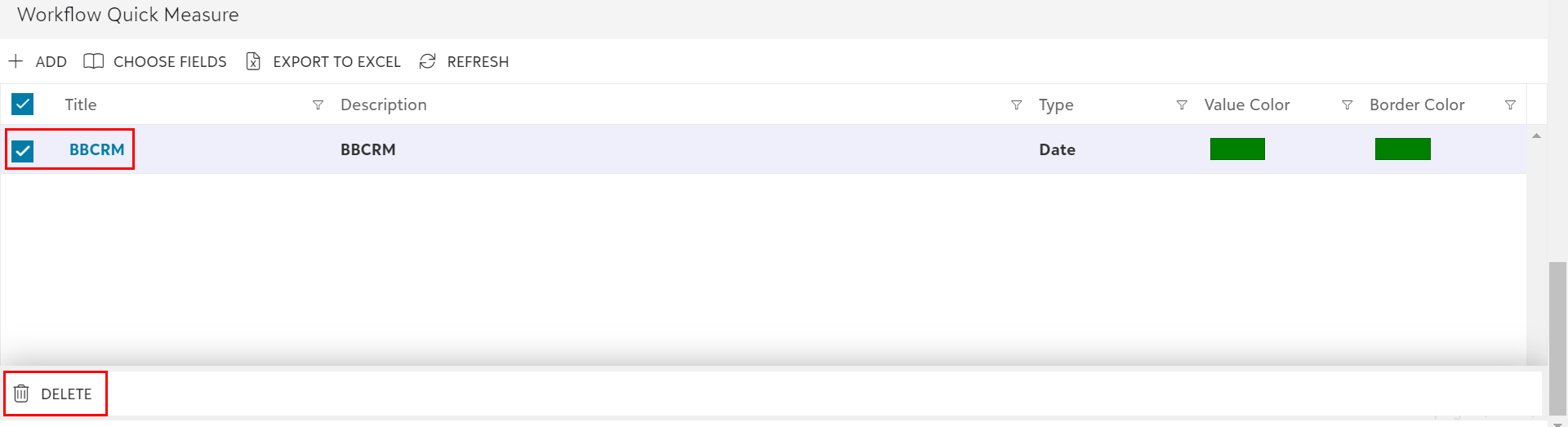
3) Now, select the existing Workflow Quick Measure(s) using the checkbox or directly clicking on the row(s) and then click on the Delete option from the slide-up panel as shown in the below screen.
4) Once you click on the Delete option, a confirmation dialog box pops up as shown in the below screen.
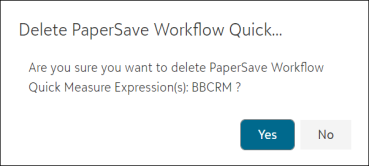
5) You can now click on Yes if you want to delete the selected Quick Measure or click on No to cancel the delete operation.
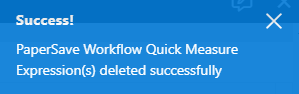
6) On deletion, it will show the success/failure message on the top-right corner of the screen, as shown below.